Facebook
 Twitter
GerdSchrewe
Regular Pleskian
I use Plesk 17.8 with Ubuntu 18.04.LTS on a Strato V-Server.
There are several customers with Wordpress installations on the server.
Using the Plesk Wordpress Toolkit I have activated in the settings of the instances that a snapshot or restore point of the Wordpress installation is always created before an update.
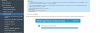
I did some wordpress updates today and just wanted to check if the rollback function works, but i can't find the "Rollback" button shown in the manual (See attached screenshot).
I have searched all the tabs, but can only find the possibility to restore the "security settings", but not the possibility to restore/rollback the snapshot made before the update.
Thanx for help!
Translated with www.DeepL.com/Translator
There are several customers with Wordpress installations on the server.
Using the Plesk Wordpress Toolkit I have activated in the settings of the instances that a snapshot or restore point of the Wordpress installation is always created before an update.
I did some wordpress updates today and just wanted to check if the rollback function works, but i can't find the "Rollback" button shown in the manual (See attached screenshot).
I have searched all the tabs, but can only find the possibility to restore the "security settings", but not the possibility to restore/rollback the snapshot made before the update.
Thanx for help!
Translated with www.DeepL.com/Translator