Facebook
 Twitter

Gamingmate92
New Pleskian
The uploaded file could not be moved to wp-content/uploads/2025/08.
i got this Error i change via filezila permission but not working...
i have other 2 domain host with same vps plesk but that 2 domain working but 1 domain cant upload any images...
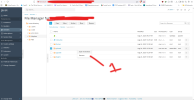
look my first red image dont have permission TAB
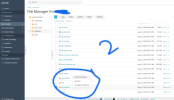
But 2n domain have permission tab what is the case of this
Thanks
i got this Error i change via filezila permission but not working...
i have other 2 domain host with same vps plesk but that 2 domain working but 1 domain cant upload any images...
look my first red image dont have permission TAB
But 2n domain have permission tab what is the case of this
Thanks