• The new Python extension is now available. It allows customers to deploy and manage WSGI-based Python applications on their websites directly from Plesk.
  • The Plesk Mobile apps for iOS and Android and the Plesk Mobile Center extension have been deprecated, and are no longer available for new installations. In Plesk Obsidian 18.0.84, the Plesk Mobile Center extension will be removed from servers during the upgrade, and the Plesk Mobile apps will lose their server management features.
  • The Social Login extension has been deprecated and will be removed in Plesk Obsidian 18.0.84. After that, it will no longer be possible to log in to Plesk with a Google, Facebook, GitHub account, or with a passkey. Plesk usernames and passwords, as well as logging in with a WebPros Account, are not affected.

An issue with mail account on the Plesk 11.0.9

the-ideeen

New Pleskian
Hi there,

Some of our accounts have strange issues, the [email protected] is the one that for months and still now is giving problems when sending emails. Sent emails to Hotmail are going to Junk folder. And only this one account has this problems, the rest are good.. I will be very appreciate if anybody have some magic solution.

Thanks a lot in advance!
 
Please post the headers of the eMails, which are redirected into the spam - folder, for further investigations.
 
Hi,

Sure, here:

---------------------------------------------------------------------------------------------------------------------------------------------------------------------------------------------------

x-store-info: 4r51+eLowCe79NzwdU2kRyU+pBy2R9QCgtQWRKs+T6as6pJwK0ZfPL6/0LOqyC2AvCyBi5yj9tEF8UGojkxUDiKb79ERzxSExpUX1xO980iJ5ndSCWBOmz5+BzU7W89pYyTqrdwwY+k=
Authentication-Results: hotmail.com; spf=pass (sender IP is 109.228.14.33) smtp.mailfrom=[email protected]; dkim=none header.d=enotecalatorreroma.com; x-hmca=pass header.id=[email protected]
X-SID-PRA: [email protected]
X-AUTH-Result: PASS
X-SID-Result: PASS
X-Message-Status: n:n
X-Message-Delivery: Vj0xLjE7dXM9MDtsPTA7YT0wO0Q9MjtHRD0yO1NDTD02
X-Message-Info: 3c21WZ1hAlsAODtbxwstXQqvtutKmsUhUUCGIOz8ThcS87eXh3vTRrm5vN5cB8LxmjPK3YXyE/tQquFQxz1aZ98/eFsbP2cZNUmzguIBTMr7j+p8MG333ixR3p64F+65SFfr8boKtJrOmBw4Fy7jqAFzNySvFYHkMZ3qZQuncxhVNGRqxGIxFqtklIKXDuNiuPdME8sUs6MhsKJ5fOZPq3DqxXnm1oti
Received: from ideeenlabel.com ([109.228.14.33]) by COL004-MC1F52.hotmail.com over TLS secured channel with Microsoft SMTPSVC(7.5.7601.22712);
Mon, 27 Oct 2014 05:07:44 -0700
X-No-Relay: not in my network
Received: from [192.168.1.118] (unknown [31.128.172.25])
by ideeenlabel.com (Postfix) with ESMTPSA id 4E50EB21E8
for <[email protected]>; Mon, 27 Oct 2014 12:07:43 +0000 (GMT)
From: picca <[email protected]>
Content-Type: text/plain; charset="us-ascii"
Content-Transfer-Encoding: 7bit
Subject: test
Message-ID: <[email protected]>
Date: Mon, 27 Oct 2014 14:07:42 +0200
To: [email protected]
MIME-Version: 1.0 (Mac OS X Mail 8.0 \(1990.1\))
X-Mailer: Apple Mail (2.1990.1)
Return-Path: [email protected]
X-OriginalArrivalTime: 27 Oct 2014 12:07:45.0254 (UTC) FILETIME=[9DFB0060:01CFF1DE]

test

---------------------------------------------------------------------------------------------------------------------------------------------------------------------------------------------------
 
First:
Your nameserver has ONE reverse DNS - entry for your IP: ideeenlabel.com => 33.14.228.109.in-addr.arpa , which is o.k., but be aware, that you then have to configure the other domains for this IP more accurate in order to avoid issues/problems that you noticed. The "main" domain, the one which explizit routes to your IP, should contain domains, which use the same MX ( for a example see "Second" ).


Second:

You don't have any accurate SPF - record entries. Examples:

for the domain "ideeenlabel.com" you could use:
v=spf1 mx ip4:109.228.14.33 a:ideeenlabel.com include:enotecalatorreroma.com ~all
( you could as well use: v=spf1 mx ip4:109.228.14.33 a:ideeenlabel.com a:enotecalatorreroma.com ~all )​
for the domain "enotecalatorreroma.com" you could use:
v=spf1 mx ip4:109.228.14.33 a:enotecalatorreroma.com mx:ideeenlabel.com ~all​

You have the possibilty to use more than one MX - record as well, by using additional "mx:YOURDOMAIN.com" - entries in the SPF - TXT records.

Be aware that the string "-all" defines, that IF the SPF entry fails, the result is a definite FAIL. To avoid this, you could use "~all" ( results in SOFTFAIL ) or "?all" ( results in NEUTRAL )
​

Third:

You should consider using domainkeys ( and/or DKIM ), so that corresponding mail - servers may identify your eMails. Please read the documentation for a correct setup, or use the forum / KB - search. There are plenty of suggestions and helpfull threads/posts/articles.
 
Gigantic thanks for the detailed answer! I'll check out these all points and try to set everything properly.

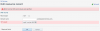
Just a quick question, when I tried to copypaste mentioned SPF record for enotecalatorreroma.com I got this error:
Screen Shot 2014-10-29 at 5.20.28 PM.png

Am I missed something?

Thanks a lot.
 
Last edited:
If Plesk doesn't "like" "mx" without the "+", just add it - it's not necessary based on the SPF - policies documentation, but maybe Plesk checks wheather there is a "+" or not. If you experience issues/problems, always try different modifications, or leave out something, just to make sure, WHAT Plesk doesn't "like". :)
 
Back
Top