Follow along with the video below to see how to install our site as a web app on your home screen.
Note: This feature may not be available in some browsers.
The APS Catalog has been deprecated and removed from all Plesk Obsidian versions. Applications already installed from the APS Catalog will continue working. However, Plesk will no longer provide support for APS applications.
Please be aware: with the Plesk Obsidian 18.0.78 release, the support for the ngx_pagespeed.so module will be deprecated and removed from the sw-nginx package.
I discovered today the new backup format of plesk.
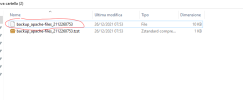
I have downloaded my backup files, extract them with 7z-ZS or Peazip but the file/folder decompressed is not possible to open.
How can I access at the file below?
Hello, In the last days every backup I downloaded im receiving a big tar files with files .tzst I dont know why, but I cant open a backup in my local server its not recognize the tzst, What should I do ? thank you and have a good day!
Thank you Igor, the problem was that after the decompression, the file had not any extension.
To solve the problem and gain access to the files, it is necessary to add a .tar extension. I hope it will usefull.