Follow along with the video below to see how to install our site as a web app on your home screen.
Note: This feature may not be available in some browsers.
The APS Catalog has been deprecated and removed from all Plesk Obsidian versions. Applications already installed from the APS Catalog will continue working. However, Plesk will no longer provide support for APS applications.
Please be aware: with the Plesk Obsidian 18.0.78 release, the support for the ngx_pagespeed.so module will be deprecated and removed from the sw-nginx package.
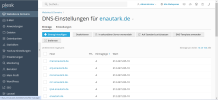
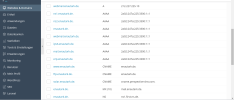
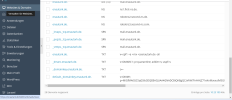
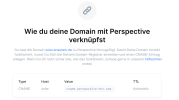
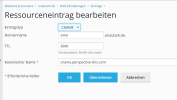
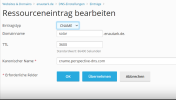
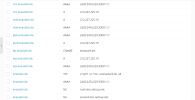
How can I link a simple landing page to the subdomain solar.enautark.de with the software Perspective (C-Name entry see picture below) ? I have attached all the necessary screenshots.
The landing page I created with the software perspective does not allow you to connect to this C-name entry (404 error message). I had to create the subdomain solar.enautark.de, because the main domain enautark.de is already intended for the website.
The DNS entries on your server are ineffective, because in your domain these three nameserver route the traffic off the domain:
Nserver: root-dns.netcup.net
Nserver: second-dns.netcup.net
Nserver: third-dns.netcup.net
You need to do the DNS settings in your nameservers, not on the nameserver on your Plesk, because that one is not used.
It means that all routing takes place at your Netcup DNS server, not on your Plesk server. If you want your Plesk server to be the authoritative DNS server for your domain, you need to have at least 2 subnets (2 IP addresses) on it and enter the two nameserver names of your Plesk server into your domain name.
Else, simply configure all DNS settings in your existing nameservers at your provider.
It means that all routing takes place at your Netcup DNS server, not on your Plesk server. If you want your Plesk server to be the authoritative DNS server for your domain, you need to have at least 2 subnets (2 IP addresses) on it and enter the two nameserver names of your Plesk server into your domain name.
Else, simply configure all DNS settings in your existing nameservers at your provider.
The reason is that the entries you are doing in your Plesk server are never used anywhere, because this is not the nameserver that is registered in your domain name. Again: Your domain uses these nameservers:
Nserver: root-dns.netcup.net
Nserver: second-dns.netcup.net
Nserver: third-dns.netcup.net
You need to enter your routes into these nameservers. Your Plesk nameserver is never queried by anything, because it is not the nameserver that is listed in the domain.
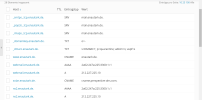
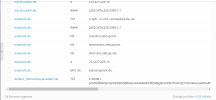
Thank you very much for your answer! I have adjusted the nameservers accordingly (see image below). Do I have to delete the other two CNAME entries now or what is the reason that the link to the landing page with solar.enautark.de has not yet been created?
What do you mean by "other two CNAME entries"? Are the screenshots from Netcup DNS or from your Plesk server? If they are from the Plesk server, you'll at least need to update the NS records to point to the Plesk server. These still contain Netcup DNS rerferences. Or did you mean that you updated the DNS entries at your Netcup DNS? In that case Plesk will not update these entries, because it does not have access to your nameserver. You'll then need to manage all required entries yourself.