Facebook
 Twitter
D
Dionisas
Guest
Hello, All,
I would like to ask some help from you all. We are customizing our Plesk CP and would like, to hide, to cut off some text, logos, buttons, etc. As we understand Plesk CP contains 3 frames. Left side (from complete), Top side (from complete) and middle frame (native plesk cp). With middle cp everythink is fine, we are using show toolbar to hide unnecessary buttons. But how can we cut off Links, Buttons and etc from Left side. We would like to hide for example all top frame, because we arent using HSPC native billing, so users shouldn't be able to see the info from complete billing.
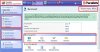
I attached one screen shot of our cp. So. Everythink that is marked with red should be hidden and not seen by our users.
Sorry if my english is not very good. I tried to explain clearly. So if you didn't get the point please ask, i will try to explain in some other ways ;-) Thanks.
I would like to ask some help from you all. We are customizing our Plesk CP and would like, to hide, to cut off some text, logos, buttons, etc. As we understand Plesk CP contains 3 frames. Left side (from complete), Top side (from complete) and middle frame (native plesk cp). With middle cp everythink is fine, we are using show toolbar to hide unnecessary buttons. But how can we cut off Links, Buttons and etc from Left side. We would like to hide for example all top frame, because we arent using HSPC native billing, so users shouldn't be able to see the info from complete billing.
I attached one screen shot of our cp. So. Everythink that is marked with red should be hidden and not seen by our users.
Sorry if my english is not very good. I tried to explain clearly. So if you didn't get the point please ask, i will try to explain in some other ways ;-) Thanks.