• Debian 11 is approaching its end-of-life (vendor EOL date - August 31, 2026). Plesk Obsidian 18.0.80 will be the last release to support it.
    If you are running Plesk Obsidian on Debian 11, we recommend you upgrade those servers to Debian 12 using our dist-upgrade tool.
  • We plan to deprecate and remove the support for XML RPC protocol versions earlier than 1.6.9.1 in Plesk Obsidian 18.0.82. We strongly recommend that you update all existing integrations using earlier versions of the XML RPC protocol to comply with the version 1.6.9.1 specification.

Question Disable Remote Backup Validation

vargasia

New Pleskian
Hi there.

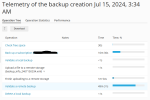
Is it possible to disable remote backup validation? I have a lot of scheduled backups at night and this is spamming my email with error messages that are fake. I have checked those uploaded backups and they work properly, but it seems that Backup Manager is trying to download the entire backup from the remote server (remote FTP backup) to check it again when the next backup job has begun uploading. Allocating more time for the backup job is out of the question as I need this to happen during the night.
1721043132100.png

Kind regards.
 
Hi, backup validation cannot be disabled. However validating should normally be a quick procedure. During the validation process only a small block of metadata (usually < 10 MB) gets checked.

If it takes that much time to validate there is something wrong. It's hard to say for sure what is causing this. Connectivity issues to the remote server are a common cause. But it can also be that the remote server is busy (high resource usage for example), or that many backup taks are simoustanly trying to connecting to the same remote server.

To find more info on the exact cause you can enable verbose logging in panel.ini and pmmcli-rc and check the command logs in migration.log. More info on verbose logging and debugging can be found here: https://support.plesk.com/hc/en-us/...enable-debug-mode-for-Plesk-backup-operations

Beware that enabling debugging will slow down Plesk, epically if there are many domains on the server. So it's best not to leave it enabled longer than necessary.

Lastly, don't hesitate to open a support ticket with our support team to let them assist you with finding the cause.
 
Back
Top