Facebook
 Twitter
Hi there,
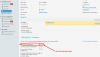
I cannot find the DNS Setting in Websites&Domain TheWebsite/Show More
I tried changing:
Tools&Settings
Also:
Tools&Settings
However when I go to
Websites&Domain TheWebsite/Show More, the DNS settings are still missing.
Is there any other setting I can try to show the dns settings?
Thanks in advance.
P.
Centos 6.6
Plesk 12.0.18 Update #30
I cannot find the DNS Setting in Websites&Domain TheWebsite/Show More
I tried changing:
Tools&Settings
Plesk
Custom View setting (DNS template settings checked)
Also:
Tools&Settings
Plesk Appearance
Interface Management
-Power user View
(with & without) Open hosting operations in Server Administration Panel
(with & without) Use Custom View
-Service Provider View(with & without) Open hosting operations in Server Administration Panel
However when I go to
Websites&Domain TheWebsite/Show More, the DNS settings are still missing.
Is there any other setting I can try to show the dns settings?
Thanks in advance.
P.
Centos 6.6
Plesk 12.0.18 Update #30