
 Facebook
 Twitter
- Server operating system version
- Ubuntu 18.04.6 LTS
- Plesk version and microupdate number
- Plesk Obsidian Web Pro Edition 18.0.48
Hello,
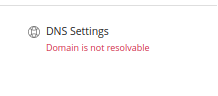
Since recently, Plesk says 'domain is not resolvable':
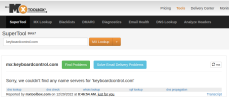
The website does load, but when looking records in mxtoolbox, I get this:
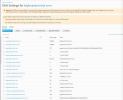
These are my DNS settings:
On the registrar level, I have the nameservers set to ns1.know.gg and ns2.know.gg - these are linked to the server's ip 116.202.208.36
Ideally, I want to use these 2 nameservers on all websites on my server.
What's missing here?
Since recently, Plesk says 'domain is not resolvable':
The website does load, but when looking records in mxtoolbox, I get this:
These are my DNS settings:
On the registrar level, I have the nameservers set to ns1.know.gg and ns2.know.gg - these are linked to the server's ip 116.202.208.36
Ideally, I want to use these 2 nameservers on all websites on my server.
What's missing here?

