• Debian 11 is approaching its end-of-life (vendor EOL date - August 31, 2026). Plesk Obsidian 18.0.80 will be the last release to support it.
    If you are running Plesk Obsidian on Debian 11, we recommend you upgrade those servers to Debian 12 using our dist-upgrade tool.
  • We plan to deprecate and remove the support for XML RPC protocol versions earlier than 1.6.9.1 in Plesk Obsidian 18.0.82. We strongly recommend that you update all existing integrations using earlier versions of the XML RPC protocol to comply with the version 1.6.9.1 specification.

Issue Export lists to CSV

giuseppewhig

New Pleskian
Hello,
I installed the extensions in Plesk Obsidian 18.0.28, but the button in the domain list to export it in CSV is not shown even if the extension is correctly activated.
I red that this is a problem known because the last Changes 1.1.1 (06 Mar 2019) said "Fixed compatibility issues with Plesk 17.9: the button for exporting lists to CSV is visible again and JavaScript errors were fixed. (EXTPLESK-603)" but the bug there is again in Plesk 18.0.28.

Could you please help me? Thanks
 
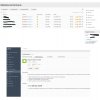
I see this button om my Plesk 18.0.29 Update 3 here:
 

Attachments

  • Screenshot 2020-09-04 at 17.00.54.png
    Screenshot 2020-09-04 at 17.00.54.png
    53.9 KB · Views: 19
I update to 18.0.29, but the problem is still there.
 

Attachments

  • Schermata 2020-09-04 alle 12.59.20.jpg
    Schermata 2020-09-04 alle 12.59.20.jpg
    1.3 MB · Views: 10
since onyx to obsisian upgrade the export to csv feature only works on some lists. but not in the email-addresses list (button not shown).

update from 18.0.29 to 18.0.30 and reinstalled extension "export to csv" -> no change.
email-addresses and abo list does not show the export button, others like customer and domains do.

please fix this!
 
Last edited:
Hi!

Is there any hope to get it back?
yes, i openend a support ticket and i get a fix, which will be included in the next release. so it should be fixed with latest versions.

### workaround ###

Until the bug is fixed, the following workaround can be used:
1. Connect to the server using SSH.
2. Back up the file /usr/local/psa/admin/htdocs/modules/export-lists/global.js:
cp -p /usr/local/psa/admin/htdocs/modules/export-lists/global.js{,.back}

3. Replace the function ext.init in the file /usr/local/psa/admin/htdocs/modules/export-lists/global.js (lines 55-75) with the following:
ext.init = function() {
function addCsvExportButtons(list) {
list._componentElement.select('div.paging .paging-view').forEach(addCvsExportButton);
}
window.onload = function() {
var listElements = $$(listElementSelector);
listElements.forEach(function (listElement) {
var listComponent = Jsw.getComponent(listElement.id);
if (listComponent) {
addCsvExportButtons(listComponent); var oldRedrawHandler = listComponent._onRedraw;
listComponent._onRedraw = function () {
if (oldRedrawHandler) {
oldRedrawHandler.apply(this, Array.prototype.slice.call(arguments));
}
addCsvExportButtons(listComponent);
}
}
});
};
};
 
Back
Top