Follow along with the video below to see how to install our site as a web app on your home screen.
Note: This feature may not be available in some browsers.
The APS Catalog has been deprecated and removed from all Plesk Obsidian versions. Applications already installed from the APS Catalog will continue working. However, Plesk will no longer provide support for APS applications.
Please be aware: with the Plesk Obsidian 18.0.78 release, the support for the ngx_pagespeed.so module will be deprecated and removed from the sw-nginx package.
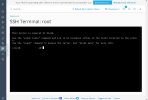
I can't remember there being a close button to close the terminal. To my knowledge the terminal always functioned directly on a page in Plesk. Not as layover window, modal or popup. That being said, I never used the terminal in Plesk much, so I could be wrong. If there ever was close button it probably got removed during an update of the extension. Not as a result of your SSH port change.
What would the purpose of "closing" be? The SSH extension is a daemon that is continuously online, so for the technique behind what's seen it won't make a difference. Instead, when you want to remove the SSH screen, why not simply click to another location from the menu?
Both of you are right ...
but a clean prgramming would add a 'closed' (and I still think it was there in the past)
ok lets finish that - and set it to resolved (I can't find the 'resolved' button either)