• The new Python extension is now available. It allows customers to deploy and manage WSGI-based Python applications on their websites directly from Plesk.
  • Debian 11 has reached its end-of-life (vendor EOL date - August 31, 2026). Plesk Obsidian 18.0.81 is the last release to support it.
    If you are running Plesk Obsidian on Debian 11, we recommend you upgrade those servers to Debian 12 using our dist-upgrade tool.
  • We plan to deprecate and remove the support for XML RPC protocol versions earlier than 1.6.9.1 in Plesk Obsidian 18.0.82. We strongly recommend that you update all existing integrations using earlier versions of the XML RPC protocol to comply with the version 1.6.9.1 specification.

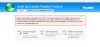
Failed to read product information from the file : Can't process products.inf3

Kenan

Basic Pleskian
Hello,

I added a capture about my problem. I updated plesk and my hosts file have follows:

[root@toledo ~]# cat /etc/hosts
# Do not remove the following line, or various programs
# that require network functionality will fail.
::1 localhost6.localdomain6 localhost6
127.0.0.1 localhost.localdomain localhost

System info : Linux centos 5 + Plesk 10.4.4
Additional info: named and SMTP services can not run; when i try to run, it's fail.

I have been waiting you help! Regards.
 

Attachments

  • Capture.PNG
    Capture.PNG
    26.8 KB · Views: 4
Is hostname autoinstall.plesk.com accessible and resolvable from your Plesk server?
 
How can i test it?

I do the follow:

[root@toledo ~]# service named status
rndc: connect failed: 127.0.0.1#953: connection refused
named is stopped
 
#ping autounstall.plesk.com
#host autoinstall.plesk.com
 
It says folllow;

[root@toledo ~]# ping autounstall.plesk.com
ping: unknown host autounstall.plesk.com
[root@toledo ~]# host autoinstall.plesk.com
;; connection timed out; no servers could be reached
 
Hostname is unresolvable. Check and fix nameserver settings on you Linux server. It is not Plesk problem. Ask help of your system administrator.
 
Back
Top