Follow along with the video below to see how to install our site as a web app on your home screen.
Note: This feature may not be available in some browsers.
The APS Catalog has been deprecated and removed from all Plesk Obsidian versions. Applications already installed from the APS Catalog will continue working. However, Plesk will no longer provide support for APS applications.
Please be aware: with the Plesk Obsidian 18.0.78 release, the support for the ngx_pagespeed.so module will be deprecated and removed from the sw-nginx package.
You'll want to use chown to correct the group and owner. For everything in the httpdocs folder, The owner should be the customer's username, and the group should be psacln.
Another way to correct the issue would be to just run the Plesk repair utility on the domain;
Are you logged in using some "master" user with access to all your files (root maybe?) Or through the user of your account? Please provide us with more information about the problem so I can help you so that your problem does not happen again
As for solving your problem, it's very simple, come on.
1. Access the directory where your files are located.
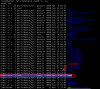
2. Run the command "ls -la" to verify the correct permissions.
As you can see in the print the correct permissions would be user: "performance_feli" and group: "psacln".
3. Use the following command to change the permissions.
To change this is very easy, just run the following command:
PS: "-R on command means recursively applying permissions"
PS2: Unfortunately for the information you gave in the post I do not know how the structure of your files is, however just follow the logic of my comment that you should be able to apply the correct permissions! ;-)
Thanks for your detailed explanation. The files now have the right permission.
I must admit that I'm new to Linux and the Plesk Interface. It is a private VPS. I have created a customer account for the domain (belonging to myself) - but in the Plesk Interface I'm accessing it through the admin account. The files is uploaded by FTP belonging to the account (not admin) - and a install.php script for SuiteCRM is run form the website.
Please feel free to show a little gratitude by voting for "best response," given that I have solved your problem.
It is no problem to access the client account using your Plesk administrator interface, since this is not a gambiarra or something, Plesk itself offers this option.
Taking into consideration your comment I do not see anything much in the way you did it. Maybe you failed to pass some information ... have you done any steps using Shell?
Was it necessary to unzip the file? Did you unzip the file manager from Plesk or via Shell? (Using the unzip command, or similar)
If you can not replicate the problem again it is virtually impossible to find out the source of the problem. Based on the reviews it seems everything is ok with its setup.
If you encounter this problem again, I suggest you create a new topic in the Plesk forum and explain in detail what your actions were that caused this problem.