Follow along with the video below to see how to install our site as a web app on your home screen.
Note: This feature may not be available in some browsers.
Debian 11 has reached its end-of-life (vendor EOL date - August 31, 2026). Plesk Obsidian 18.0.81 is the last release to support it.
If you are running Plesk Obsidian on Debian 11, we recommend you upgrade those servers to Debian 12 using our dist-upgrade tool.
We plan to deprecate and remove the support for XML RPC protocol versions earlier than 1.6.9.1 in Plesk Obsidian 18.0.82. We strongly recommend that you update all existing integrations using earlier versions of the XML RPC protocol to comply with the version 1.6.9.1 specification.
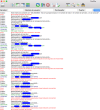
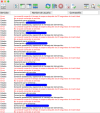
Could you please confirm what exactly appears to be the issue? Do you get any particular error message in FileZilla? The more details you provide, the easier it will be for us to help.
Please use the FTP protocol, the hostname value can be your server hostname/IP address or a domain/subdomain that resolves on the server IP. From what I can see, the error indicates that the login credentials are incorrect. You can find detailed instructions in our guide including how to find your FTP credentials. If there's still an issue, please let us know.

 Facebook
 Twitter