Facebook
 Twitter
pizzayperros
New Pleskian
- Server operating system version
- Windows
- Plesk version and microupdate number
- Plesk Obsidian
Hello!
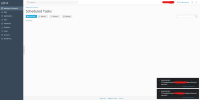
I'm new to Plesk Obsidian and I wanted to checkout the "Scheduled tasks" functionality in Websites & Domains > Dev Tools.
I was able to successfully run a command, but now the task its stuck in "Running task" and it wont stop and I see no option to stop running tasks... I also would like to add that my plan does not have enabled the option to login via Remote Desktop.
So, how can I manage to stop a running task if I don't have access to the plesk db command?
Thanks!!