Facebook
 Twitter
I upgraded my server
but the data I backed up to my previous Yandex disk is encrypted by Plesk. When I restore these backups fail, I cannot access my files. How do I solve this? Most of the files have .tzst extensions.
the SSH command i use
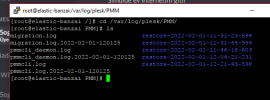
Output
part of my xml file
but the data I backed up to my previous Yandex disk is encrypted by Plesk. When I restore these backups fail, I cannot access my files. How do I solve this? Most of the files have .tzst extensions.
the SSH command i use
/usr/local/psa/bin/pleskrestore --restore '/root/Yandex.Disk/Yedeklerim/backup_info_2201310803.xml' -level server -ignore-sign -ignore-backup-password
Output
please a lot of helpError:
Utility failed due to internal error
Warning:
The component Spam Filter is not installed. The component AntiVirus is not installed. It will be unavailable for the following objects: destek, iletisim, info
part of my xml file
<?xml version="1.0" encoding="UTF-8"?>
<migration-dump agent-name="Plesk.PHP" dump-version="18.0.41" dump-original-version="18.0.41" content-included="true" dump-format="panel" verification-string="$AES-128-CBC$pXC87Q8XpL4JTp+9oFrieQ==$gvZ3AyR56edyphtVBIdcs+8xcds6RKOBXi7rqwOuJiU=" encryption-type="panel-key">
  <dump-info>
    <description>Planlanan Yedekleme. Tüm yapılandırma ve içerik.</description>
    <os-description type="unix" apache-uid="48" apache-gid="48" mailman-uid="41" mailman-gid="41"/>
    <cp-description>
      <directories vhosts="/var/www/vhosts" product_root="/usr/local/psa"/>
      <components-installed>
        <component name="awstats"/>
        <component name="bind"/>
        <component name="curl"/>
        <component name="dovecot"/>
        <component name="dovecot-pigeonhole"/>
        <component name="drweb"/>
        <component name="fail2ban"/>
        <component name="httpd"/>
        <component name="mailman"/>
        <component name="modsecurity"/>
        <component name="mysql"/>
        <component name="nginx"/>
        <component name="nss"/>
        <component name="openssl"/>
        <component name="php"/>
        <component name="php52"/>
        <component name="php53"/>
        <component name="php54"/>
        <component name="php55"/>
        <component name="php56"/>
        <component name="php70"/>
        <component name="php71"/>
        <component name="php72"/>
        <component name="php73"/>
        <component name="php74"/>
        <component name="php80"/>
        <component name="phpmyadmin"/>
        <component name="postfix"/>
        <component name="psa"/>
        <component name="psa-api-rpc"/>
        <component name="psa-autoinstaller"/>
        <component name="psa-backup-manager"/>
        <component name="psa-drweb-configurator"/>
        <component name="psa-horde"/>
        <component name="psa-imp"/>
        <component name="psa-kav8"/>
        <component name="psa-logrotate"/>
        <component name="psa-mod-fcgid-configurator"/>
        <component name="psa-proftpd"/>
        <component name="psa-spamassassin"/>
        <component name="psa-turba"/>
        <component name="resource-controller"/>
        <component name="roundcube"/>
        <component name="rsyslog"/>
        <component name="spamassassin"/>
        <component name="webalizer"/>
      </components-installed>
      <services>
        <service name="dns" available="true"/>
        <service name="wpb" available="false"/>
        <service name="resellers-management" available="true"/>
      </services>
    </cp-description>
    <server-id>ba972a17-4527-4d58-a896-d2c297f09434</server-id>
  </dump-info>