• The APS Catalog has been deprecated and removed from all Plesk Obsidian versions.
    Applications already installed from the APS Catalog will continue working. However, Plesk will no longer provide support for APS applications.
  • Please be aware: with the Plesk Obsidian 18.0.78 release, the support for the ngx_pagespeed.so module will be deprecated and removed from the sw-nginx package.

Issue Install Nodejs failed

max2334

New Pleskian
Server operating system version
Debian 4.9
Plesk version and microupdate number
plesk obsidian 18.0.44
Hi everyone,

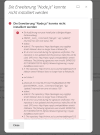
i tried to install the nodejs extension but its failed. NodeJS support is enable on my server. How can I can install or use nodejs script on my server?Bildschirmfoto 2022-08-16 um 10.02.26.png
 
The problem is with third-party repositories mentioned in the error message. Try to remove or disable, at least, them.
 
Hi,
but i can not disable mariadb since i have only installed mariadb on my server. so how can i resololve this issue?
 
To fix errors with mysql repository like:
W: An error occurred during the signature verification. The repository is not updated and the previous index files will be used. GPG error: Index of /232905/apt/debian stretch InRelease: The following signatures were invalid: EXPKEYSIG 8C718D3B5072E1F5 MySQL Release Engineering <[email protected]>
run command:

# apt-key adv --keyserver pgp.mit.edu --recv-keys 5072E1F5
 
root@ ~ # apt-key adv --keyserver pgp.mit.edu --recv-keys 5072E1F5
Executing: /tmp/apt-key-gpghome.3ppXYcUjEQ/gpg.1.sh --keyserver pgp.mit.edu --recv-keys 5072E1F5
gpg: keyserver receive failed: No data
root@ ~ #

bekomme diese fehler hier..
 
Back
Top