i
Hi,
@Merlin1220 . Thank you for your insights. I attempted to replicate the issue again by placing a WordPress instance in maintenance mode through the wp-cli and then manually adding
wp-content/maintenance.php with some sample content (with no Version: header line). Removed the WP instance and re-scanned through WP Toolkit. I am afraid, the issue still does not reproduce on my end. In case I am missing something, would you please share the exact steps you performed on your test environment to successfully reproduce the behavior? Thanks in advance for your cooperation.
Thank you for your reply, and for taking the time to attempt a reproduction. I would like to clarify two points, because I believe there is a misunderstanding on both — one about the environment, and one about the actual trigger.
1) This is a production server, not a test environment.
The server in question is (Plesk 18.0.81). It hosts ~50 live WordPress installations, and the error occurs on every single one of them. There is no test or staging system involved — this is my production hosting environment and the issue is not limited to one site.
2) The error is not dependent on maintenance mode.
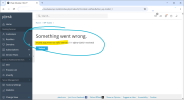
The message "Invalid argument not valid semver ('' received)" is shown by WP Toolkit on every domain regardless of whether maintenance mode is on or off. When I first mentioned maintenance mode, it was only one of the contexts in which I observed the problem — it is not the trigger. The same error reproduces on sites that have never had maintenance mode enabled at all. So the failure is not conditional on "activating maintenance mode" and is not caused by a site- or content-side misconfiguration.
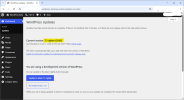
Based on what I observed, WP Toolkit's strict semver validation crashes on version strings that are not valid semver — for example a drop-in file without a Version: header (an empty string), or a pre-release/beta version such as 7.1-alpha-*. Editing site, theme, or plugin content does not help, because the fault lies in how WP Toolkit parses and validates version headers on the server side — that is a Plesk behavior, not something I can work around from the WordPress side.
Because all production domains are affected and this blocks WP Toolkit operations, I would ask that this be treated as a defect in WP Toolkit that needs fixing — specifically, a version-header parser that must tolerate missing or non-semver version strings — rather than a reproduction gap on my part.
I am glad to provide the exact WP Toolkit operation and the corresponding logs showing the error, and to confirm the exact Plesk and WP Toolkit build numbers, if that helps you reproduce it on your side. But to be clear up front: this is not a test environment, and it is not limited to maintenance mode.

 Facebook
 Twitter