
 Facebook
 Twitter
Flying-Hawk
New Pleskian
- Server operating system version
- Ubuntu 20.04
- Plesk version and microupdate number
- 18.0.59
I'm currently trying to change my nameservers on IONOS to Plesk using the following tutorials. But I've had no success to get my side running.
Side:
[redacted]
Tutorial-IONOS:

 www.ionos.com
Tutorial-Plesk:
 www.plesk.com
Neither did work, I extra purchased a second IP from IONOS, because in the tutorial of Plesk it needs on, and I added it to Plesk.
I can reach my side via ip but not my domain name.
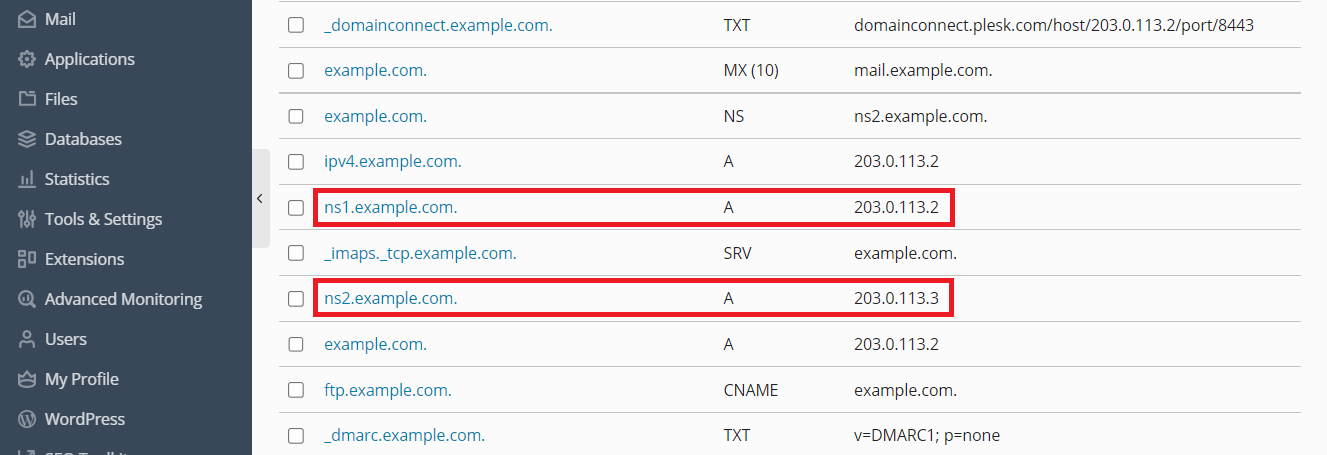
I've double checked all nameserver settings on IONOS and DNS settings on Plesk and did everything exactly as described, I also waited long enough for propagation.
I'm starting to believe, those providers, never really test their own services and make things up as they go.
Side:
[redacted]
Tutorial-IONOS:
Setting Up Plesk as a Name Server - IONOS Help
This article describes how to set up Plesk as a name server.
Tutorial-Plesk:
How to use DNS with a Plesk server - Support Cases from Plesk Knowledge Base
Question How to use DNS with Plesk server? Answer DNS settings can be controlled by Plesk or by the Domain Registrar or External DNS provider: Click on a section to expand DNS configuration managed by Plesk Purpose Easy and all in one DNS management for all domains. How to configure For this...
www.plesk.com
Neither did work, I extra purchased a second IP from IONOS, because in the tutorial of Plesk it needs on, and I added it to Plesk.
I can reach my side via ip but not my domain name.
I've double checked all nameserver settings on IONOS and DNS settings on Plesk and did everything exactly as described, I also waited long enough for propagation.
I'm starting to believe, those providers, never really test their own services and make things up as they go.
Last edited by a moderator:

