Facebook
 Twitter
AK_learner
Basic Pleskian
- Server operating system version
- AlmaLinux 8.10
- Plesk version and microupdate number
- 18.0.65 #1
Hi Team,
I have an issue on the NextCloud Installations.
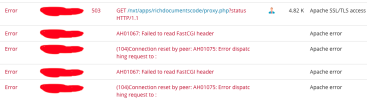
Suddenly all of my NextCloud Installations are giving 503 errors, when trying to edit any files in docx.
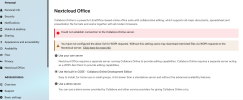
To check the case, I installed a fresh NextCloud and when I went to the configure NextCloud Office, I see the message of Could not establish connection to the Collabora Online server, and this also corresponds to the 503 errors.
I have modified the FCGI timeout limits, restarted the services (and even the machine) and changed the PHP versions, the PHP limits, but the issue still persists.
Can anyone assist?
NextCloud Version: 30.0.2.2
AlmaLinux 8.10
PHP 8.3
Plesk Obsidian 18.0.65 update 1