
 Facebook
 Twitter
Hello everybody
I try to launch a webshop.
I use a server with Ubuntu 18.04 LTS 64bit + Plesk Onyx installed und try apps offered within Plesk (Prestashop v1.7.5.2 in this case).
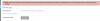
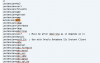
Although I think I installed the needed PHP extension intl (see the screenshot attached) I get an error message when I try to install the webshop (see the second screenshot attached).
Of course I've rebooted after I changed php.ini
I'm a bit confused.
Thanks for hints.
Peter
I try to launch a webshop.
I use a server with Ubuntu 18.04 LTS 64bit + Plesk Onyx installed und try apps offered within Plesk (Prestashop v1.7.5.2 in this case).
Although I think I installed the needed PHP extension intl (see the screenshot attached) I get an error message when I try to install the webshop (see the second screenshot attached).
Of course I've rebooted after I changed php.ini
I'm a bit confused.
Thanks for hints.
Peter

