Follow along with the video below to see how to install our site as a web app on your home screen.
Note: This feature may not be available in some browsers.
The APS Catalog has been deprecated and removed from all Plesk Obsidian versions. Applications already installed from the APS Catalog will continue working. However, Plesk will no longer provide support for APS applications.
Please be aware: with the Plesk Obsidian 18.0.78 release, the support for the ngx_pagespeed.so module will be deprecated and removed from the sw-nginx package.
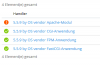
Thanks for your help. What i did is to upgrade to 12.5. Then i get this issue with Apache Module. If i hover over the exclamation mark i get in a pop up "handler can not be activated apache module is switch off". How can i switch on the apache module?
Edit: Found an entry in .htaccess from webserver. Get 500 internal server error there would be an php_value in it what no needed anymore. I switched over to fastcgi delete php_value entry in .htaccess. If someone use OTS Open Ticket System, please check htaccess entry.