Facebook
 Twitter
Hi!
I have migrated to new server and now I need to change the main IP for it, as it is not longer active.
All resellers and users are ready built and running and I have assigned actual IPs to all of them with "Re-reading" the IPs and assigning them.
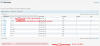
I am not able to delete the IP, which is not longer active, because of "IP address cannot be removed because it is used by DNS zone of one or more domains."
How can I change this IP to the actual IP secure?
Hope to get an answer, many thanks!
I have migrated to new server and now I need to change the main IP for it, as it is not longer active.
All resellers and users are ready built and running and I have assigned actual IPs to all of them with "Re-reading" the IPs and assigning them.
I am not able to delete the IP, which is not longer active, because of "IP address cannot be removed because it is used by DNS zone of one or more domains."
How can I change this IP to the actual IP secure?
Hope to get an answer, many thanks!