
 Facebook
 Twitter
Hi all,
I am trying to return my Debian 6 VPS to its original state ie as configured by my host and before I changed anything.
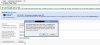
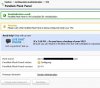
After hitting 're-initialise' and then 'ok' I get 'Please wait while Parallels Plesk Panel is being configured inside your VPS' - screenshots attached - but then nothing seems to happen ie no change to my VPS.
Any suggestions please?
Thank you
I am trying to return my Debian 6 VPS to its original state ie as configured by my host and before I changed anything.
After hitting 're-initialise' and then 'ok' I get 'Please wait while Parallels Plesk Panel is being configured inside your VPS' - screenshots attached - but then nothing seems to happen ie no change to my VPS.
Any suggestions please?
Thank you
Attachments
Last edited:


