• The APS Catalog has been deprecated and removed from all Plesk Obsidian versions.
    Applications already installed from the APS Catalog will continue working. However, Plesk will no longer provide support for APS applications.
  • Please be aware: with the Plesk Obsidian 18.0.78 release, the support for the ngx_pagespeed.so module will be deprecated and removed from the sw-nginx package.

Resize root partition

Paresh

New Pleskian
Dear All,

I am using Plesk 12.0.18 Update #74 on Cent OS 6.5.
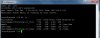
Currently my root partition is almost full and creating backup issue. I am not able to take backup. Please suggest how to resize it. And what is best practise for partition size?

Plesk.jpg
 
@Paresh,

To be honest, your partitions seem to be a little bit strange, given the distribution of disk space.

In general, it is not adviceable to change the partitions, that would be equivalent to asking for problems and/or resulting in the necessity to (partially or fully) re-install the server.

A potential alternative and solution to your problem is to change the DUMP_D variable in the /etc/psa/psa.conf file.

The value for the DUMP_D variable could or should be something in the mounted directory /home, for instance /home/backup would suffice.

When changing the DUMP_D variable, the sw-cp-server should be restarted afterwards, in order to have the changes take effect.

Hope the above helps a little bit.

Regards....
 
Back
Top