• The APS Catalog has been deprecated and removed from all Plesk Obsidian versions.
    Applications already installed from the APS Catalog will continue working. However, Plesk will no longer provide support for APS applications.
  • Please be aware: with the Plesk Obsidian 18.0.78 release, the support for the ngx_pagespeed.so module will be deprecated and removed from the sw-nginx package.

Startup page setting

Danyal Haider

New Pleskian
I want to set my custom startup page. I made changes in web config file but still it's not working. Below line i added in my webconfig file.
<configuration>
<system.webServer>
<defaultDocument enabled="true">
<files>
<add value="example.html"></add> </files>
</defaultDocument>
</system.webServer>
</configuration>

Currently when open my web application in browser they show me that page that are alphabetically on the top of my web pages.

What's wrong with my code? any idea? Waiting for your feedback
 
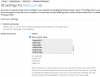
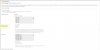
Just add it at the top of this list and check results.
 
I added my page name home.aspx at the top of the list. but it's not giving my desire output. any other changes required in this portion like MIME types
 
my url is still not configured on plesk site. Currently i am using my IP to open my application. I posted my question related configuration but still waiting for your feedback. Please assist me also in this issue how i configure my domain.
anyway my IP is http://166.62.82.5/.
 
Sorry, but it is screenshot of your Plesk interface but not what I asked you to show...
 
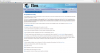
image 1.png open when i type my IP in url bar. but when i click on my home button from menu bar then i can see my desire page.

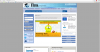
Actually image 2.png is my desire image that i want to show as my startup page. Now hopefully provided material may be helpful for you to answer. Waiting for your reply
 

Attachments

  • 1.PNG
    1.PNG
    273.4 KB · Views: 1
  • 2.PNG
    2.PNG
    544.6 KB · Views: 1
Back
Top