Follow along with the video below to see how to install our site as a web app on your home screen.
Note: This feature may not be available in some browsers.
Debian 11 is approaching its end-of-life (vendor EOL date - August 31, 2026). Plesk Obsidian 18.0.80 will be the last release to support it.
If you are running Plesk Obsidian on Debian 11, we recommend you upgrade those servers to Debian 12 using our dist-upgrade tool.
We plan to deprecate and remove the support for XML RPC protocol versions earlier than 1.6.9.1 in Plesk Obsidian 18.0.82. We strongly recommend that you update all existing integrations using earlier versions of the XML RPC protocol to comply with the version 1.6.9.1 specification.
Hi, as there is a "Console Log" area in Docker container's detail page, if the logs grow large, the UI will be freezed when entering page and I need to wait quite a while to take further actions.
Hope there will be options to hide the logs by default.
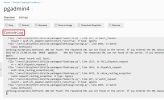
This seems to be a browser issue. It would be normal that a browser needs a long while to render long texts. If you are asking for a feature like pagination of such logs, maybe Feature Suggestions: Top (1831 ideas) – Your Ideas for Plesk would be the right place to propose the feature.
Hello, everyone. We have released an update which fixes the issue with the freezing Overview page. If you have automatic updates enabled (and already run Plesk version 18.0.66) this update should be installed already.
Fixed the issue where viewing a Docker container’s “Overview” tab could freeze or crash the browser if the log files shown in the “Console Log” window had grown to a large size. (EXTPLESK-5826)