Follow along with the video below to see how to install our site as a web app on your home screen.
Note: This feature may not be available in some browsers.
The APS Catalog has been deprecated and removed from all Plesk Obsidian versions. Applications already installed from the APS Catalog will continue working. However, Plesk will no longer provide support for APS applications.
Please be aware: with the Plesk Obsidian 18.0.78 release, the support for the ngx_pagespeed.so module will be deprecated and removed from the sw-nginx package.
Hi, as there is a "Console Log" area in Docker container's detail page, if the logs grow large, the UI will be freezed when entering page and I need to wait quite a while to take further actions.
Hope there will be options to hide the logs by default.
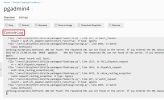
This seems to be a browser issue. It would be normal that a browser needs a long while to render long texts. If you are asking for a feature like pagination of such logs, maybe Feature Suggestions: Top (1831 ideas) – Your Ideas for Plesk would be the right place to propose the feature.
Hello, everyone. We have released an update which fixes the issue with the freezing Overview page. If you have automatic updates enabled (and already run Plesk version 18.0.66) this update should be installed already.
Fixed the issue where viewing a Docker container’s “Overview” tab could freeze or crash the browser if the log files shown in the “Console Log” window had grown to a large size. (EXTPLESK-5826)