
 Facebook
 Twitter
Sebastian_Böhm
New Pleskian
Hello everybody!
Well then, where to start...
I am using Plesk 12.0.18 Update #30 and CentOS 6.6 (Final)
Update-Error-Log is attached to this post.
After (automatically) installing one of the last microupdates, my Plesk Panel ceased to function. I can still log in an review most of the settings, but when I try to update the Panel manually, it will show up as 'not installed'...
So I was checking the installed components page. It also says that none of the previously installed components are there anymore. Which is strange, because the panel itself is working fine more or less and the websites I host are fully functional.
Additionally, when I try to update my license key because the automatic process fails, it will give me the following error message:
The solution given here won't help, though:
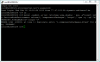
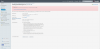
And, the last issue I could determine so far is concerning the domains. Whenever I wish to add a new domain to the panel, the process fails with the following error message:
Resolving the issue using this KB-article failed because I don't even have a directory at /etc/apt...
So, how can I regain a functioning server again? I squeezed out Google for several hours now but I really don't know what I could do next. Besides, as long as the hosted websites are running fine, I don't want to mess with the system. Maybe you can help out? Any help is appreciated as I am really lost at the moment and my technical experience is limited.
Well then, where to start...
I am using Plesk 12.0.18 Update #30 and CentOS 6.6 (Final)
Update-Error-Log is attached to this post.
After (automatically) installing one of the last microupdates, my Plesk Panel ceased to function. I can still log in an review most of the settings, but when I try to update the Panel manually, it will show up as 'not installed'...
So I was checking the installed components page. It also says that none of the previously installed components are there anymore. Which is strange, because the panel itself is working fine more or less and the websites I host are fully functional.
Additionally, when I try to update my license key because the automatic process fails, it will give me the following error message:
ERROR: Call to a member function getWebServerPackage() on a non-object (class.ServiceControl.php:76)
The solution given here won't help, though:
And, the last issue I could determine so far is concerning the domains. Whenever I wish to add a new domain to the panel, the process fails with the following error message:
Internal error. ERROR: Call to a member function getScheme() on a non-object (Apache.php:800)
Resolving the issue using this KB-article failed because I don't even have a directory at /etc/apt...
So, how can I regain a functioning server again? I squeezed out Google for several hours now but I really don't know what I could do next. Besides, as long as the hosted websites are running fine, I don't want to mess with the system. Maybe you can help out? Any help is appreciated as I am really lost at the moment and my technical experience is limited.


