• Debian 11 is approaching its end-of-life (vendor EOL date - August 31, 2026). Plesk Obsidian 18.0.80 will be the last release to support it.
    If you are running Plesk Obsidian on Debian 11, we recommend you upgrade those servers to Debian 12 using our dist-upgrade tool.
  • We plan to deprecate and remove the support for XML RPC protocol versions earlier than 1.6.9.1 in Plesk Obsidian 18.0.82. We strongly recommend that you update all existing integrations using earlier versions of the XML RPC protocol to comply with the version 1.6.9.1 specification.

Issue Warning: Symlinks out of webspace are prohibited /: Access to realpath denied: D:\webspace\............

eakkawat4419

New Pleskian
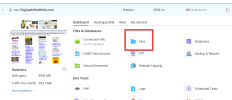
Whenever I access the File Manager menu, I encounter the following error. What should I do?

how to fix?

"I have multiple Windows servers. I encounter this issue frequently. Each time it occurs, I usually resolve it by updating the version, which fixes the problem. However, for this particular server, I can’t update the version any further. Therefore, I would like to know how to fix the issue without updating.

Plesk ObsidianVersion 18.0.70

 

Attachments

  • Screenshot 2025-07-03 123408.png
    Screenshot 2025-07-03 123408.png
    21.2 KB · Views: 6
  • image (7).png
    image (7).png
    195 KB · Views: 6
I don't see the full path but I do see it's point to D:\ instead of C. The default path is on the C drive. If you moved the files manually and updated everything to point to the D drive instead and created a shortcut (aka a symlink) then you will run into that. Ideally if you need to have the files on a different drive is to use the plesk reconfigure to have it reconfigured to the new location or create the proper junction to the new path from the original path with the proper permissions and everything.
 
Back
Top