• Halloween is coming! To celebrate the occasion, we dusted off a couple of old skins, and even created a brand new one (Pixel).
    To get into the festive spirit, install the Skins extension.
  • The new Python extension is now available. It allows customers to deploy and manage WSGI-based Python applications on their websites directly from Plesk.
  • The Plesk Mobile apps for iOS and Android and the Plesk Mobile Center extension have been deprecated, and are no longer available for new installations. In Plesk Obsidian 18.0.84, the Plesk Mobile Center extension will be removed from servers during the upgrade, and the Plesk Mobile apps will lose their server management features.
  • The Social Login extension has been deprecated and will be removed in Plesk Obsidian 18.0.84. After that, it will no longer be possible to log in to Plesk with a Google, Facebook, GitHub account, or with a passkey. Plesk usernames and passwords, as well as logging in with a WebPros Account, are not affected.

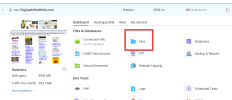
Issue Warning: Symlinks out of webspace are prohibited /: Access to realpath denied: D:\webspace\............

eakkawat4419

New Pleskian
Whenever I access the File Manager menu, I encounter the following error. What should I do?

how to fix?

"I have multiple Windows servers. I encounter this issue frequently. Each time it occurs, I usually resolve it by updating the version, which fixes the problem. However, for this particular server, I can’t update the version any further. Therefore, I would like to know how to fix the issue without updating.

Plesk ObsidianVersion 18.0.70

 

Attachments

  • Screenshot 2025-07-03 123408.png
    Screenshot 2025-07-03 123408.png
    21.2 KB · Views: 6
  • image (7).png
    image (7).png
    195 KB · Views: 6
I don't see the full path but I do see it's point to D:\ instead of C. The default path is on the C drive. If you moved the files manually and updated everything to point to the D drive instead and created a shortcut (aka a symlink) then you will run into that. Ideally if you need to have the files on a different drive is to use the plesk reconfigure to have it reconfigured to the new location or create the proper junction to the new path from the original path with the proper permissions and everything.
 
Back
Top