Follow along with the video below to see how to install our site as a web app on your home screen.
Note: This feature may not be available in some browsers.
The APS Catalog has been deprecated and removed from all Plesk Obsidian versions. Applications already installed from the APS Catalog will continue working. However, Plesk will no longer provide support for APS applications.
Please be aware: with the Plesk Obsidian 18.0.78 release, the support for the ngx_pagespeed.so module will be deprecated and removed from the sw-nginx package.
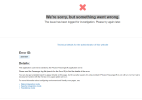
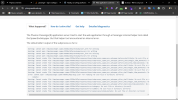
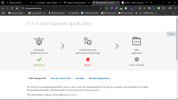
my website suddenly shows me We're sorry, but something went wrong error, i have checked most of the configuration files but couldn't find anything
suspicious.
I really appreciate any kind of help!
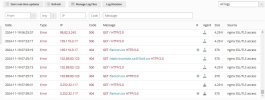
This is normally due to an access restriction in a .htaccess file or wrong directory permissions of the document root directory of the website (which needs to be group psaserv and mod 0750) or subdirectories (which ought to be group psacln and have read writes for all).
I did not mean the permission of the .htaccess file, I was referring to an instruction given to the web server in an .htaccess file. There can also be more than one .htaccess files, e.g. on the web space account level, the domain document root level and in any descending directories along that tree. If you pay close attention to what exactly is being blocked, which file or directory as that is mentioned in the log files, you'll probably find the reason for that restriction.