• Halloween is coming! To celebrate the occasion, we dusted off a couple of old skins, and even created a brand new one (Pixel).
    To get into the festive spirit, install the Skins extension.
  • The new Python extension is now available. It allows customers to deploy and manage WSGI-based Python applications on their websites directly from Plesk.
  • The Plesk Mobile apps for iOS and Android and the Plesk Mobile Center extension have been deprecated, and are no longer available for new installations. In Plesk Obsidian 18.0.84, the Plesk Mobile Center extension will be removed from servers during the upgrade, and the Plesk Mobile apps will lose their server management features.
  • The Social Login extension has been deprecated and will be removed in Plesk Obsidian 18.0.84. After that, it will no longer be possible to log in to Plesk with a Google, Facebook, GitHub account, or with a passkey. Plesk usernames and passwords, as well as logging in with a WebPros Account, are not affected.
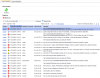
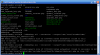
backup error

S

SilviaAmoros

Guest
Hello,

I am trying to make a backup of Sitebuiler and gives me the following error. I have since tried panel administrator and from command line. What can I do?

Thanks
 

Attachments

  • error2.PNG
    error2.PNG
    71.8 KB · Views: 79
  • error.PNG
    error.PNG
    27.1 KB · Views: 76
Try to increase 'memory_limit' value in php.ini file. By default Sitebuilder uses it's own PHP installation and php.ini file for it located here: /opt/php52/etc/php.ini.
To make sure that appropriate php.ini will be used you can run following commands:

# sb_config --help|grep php
--phpcli_path PHP CLI executable [/opt/php52/bin/php5]
--phpcgi_path PHP CGI executable [/opt/php52/cgi-bin/php5]

# /opt/php52/bin/php5 -i|grep php.ini
Configuration File (php.ini) Path => /opt/php52/etc/php.ini

Try to increase value from 32M to, for example, 256M and try backup procedure one more time. It should help.
 
sorry, correct path to php.ini file is /usr/local/sitebuilder/etc/php.ini. You can re-check correct path for php.ini file by running phpinfo.php file from Sitebuilder htdocs folder. For this, put phpinfo.php into /<sb_root>/htdocs/:
<?php
phpinfo();
?>

and run it in browser like: http://sitebuilderhostname/phpinfo.php. There you could see following parameter: Configuration File (php.ini) Path /usr/local/sitebuilder/etc/php.ini
 
I have the same problem with the backup.
I tried to increase the memory limit to 256M, but i get a similar error message.

Error message now:
PHP Fatal error: Allowed memory size of 33554432 bytes exhausted (tried to allocate 240 bytes) in /usr/local/sitebuilder/include/Zend/Zend/Db/Adapter/Abstract.php on line 156

Before:
PHP Fatal error: Allowed memory size of 33554432 bytes exhausted (tried to allocate 48 bytes) in /usr/local/sitebuilder/include/Zend/Zend/Db/Adapter/Abstract.p hp on line 156

Thanks for your help!
 
Which version of Sitebuilder do you have? If this is 4.0 I can suggest you to make an upgrade to 4.1 as in latest 4.1 release there were corrected some issue related to backup/restore functionality. It should help.
 
I have version 4.1 installed. With version 4.0 I have not tried to make a backup.
 
Back
Top