Facebook
 Twitter
futureweb
Regular Pleskian
Hey there,
I found a little Bug regarding DB creation. Tested on PPS12.5.30#47.
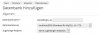
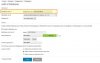
Database Hosting Preferences: Add prefix and underscore to the beginning of database names - Username - Add username and underscore to the beginning of database user names.
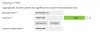
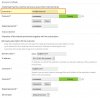
Create a new Subsc./Hosting with Username [email protected] (@ = special Char allowed in Username)
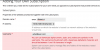
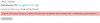
Now when you try to create a new DB it will fail with Error that DB Name contains not allowed Chars ...
Solution: get rid of special Chars in DB Name when adding Username! ;-)
bye from sunny Tirol, Austria
Andreas Schnederle-Wagner
I found a little Bug regarding DB creation. Tested on PPS12.5.30#47.
Database Hosting Preferences: Add prefix and underscore to the beginning of database names - Username - Add username and underscore to the beginning of database user names.
Create a new Subsc./Hosting with Username [email protected] (@ = special Char allowed in Username)
Now when you try to create a new DB it will fail with Error that DB Name contains not allowed Chars ...
Solution: get rid of special Chars in DB Name when adding Username! ;-)
bye from sunny Tirol, Austria
Andreas Schnederle-Wagner