• Debian 11 is approaching its end-of-life (vendor EOL date - August 31, 2026). Plesk Obsidian 18.0.80 will be the last release to support it.
    If you are running Plesk Obsidian on Debian 11, we recommend you upgrade those servers to Debian 12 using our dist-upgrade tool.
  • We plan to deprecate and remove the support for XML RPC protocol versions earlier than 1.6.9.1 in Plesk Obsidian 18.0.82. We strongly recommend that you update all existing integrations using earlier versions of the XML RPC protocol to comply with the version 1.6.9.1 specification.

can't update 12.5.30 Update #28

I meant run upgrade with

# /opt/psa/admin/sbin/autoinstaller --select-product-id plesk --select-release-current --reinstall-patch --install-component panel
Can you help me again? I have upload the autoinstaller3.log. thanks
 
Try to remove directory /root/.autoinstaller/ and run autoinstaller again.
 
@linker,

IgorG has given you a proper hint: remove the directory and run it again.

If you encounter issues again, just put the new autoinstaller3.log on the forum (please only add the new/latest log lines).

Regards....
 
@linker,

IgorG has given you a proper hint: remove the directory and run it again.

If you encounter issues again, just put the new autoinstaller3.log on the forum (please only add the new/latest log lines).

Regards....

Do like this ,is the right?
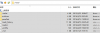
delete the /root/.autoinstaller/ frome the FTP (see the picture)

and run the
Code:
wget https://autoinstall.plesk.com/plesk-installer

chmod +x plesk-installer

./plesk-installer
but it show
BUSY: Update operation was locked by another update process.

here is the autoinstlaller3.log
[2016-04-18 13:45:55.249501] Environment locale name is 'en_US.UTF-8'
[2016-04-18 13:45:55.250036]

Plesk Installer 3.18.9 (built on 2016-03-09 15:10 svn rev. 348788) started at (timezone KST) Mon Apr 18 13:45:55 2016
Command line arguments: /var/cache/parallels_installer/installer

[2016-04-18 13:45:55.250058] SourceUrl: original source url is https://autoinstall.plesk.com/
[2016-04-18 13:45:55.250072] SourceUrl: fixed url is https://autoinstall.plesk.com/
[2016-04-18 13:45:55.250351] Try to find rcfile...
[2016-04-18 13:45:55.250377] Autoinstaller rcfile not found.
[2016-04-18 13:45:55.253142] Got OS name Linux, vendor Ubuntu, version 14.04, arch x86_64, environment ~empty
 

Attachments

  • FlashFXP_2016-04-18_12-52-10.png
    FlashFXP_2016-04-18_12-52-10.png
    16.7 KB · Views: 2
After removing file /tmp/psa-installer.lock I have updated your Plesk.
All looks fine now.
 
After removing file /tmp/psa-installer.lock I have updated your Plesk.
All looks fine now.
Yeah, thanks for the help. you are the best one who can help me in the plesk. let me enjoy the happy times.
I also say sorry make you some trouble because I don't understand the linux.
Also thank you ,trialotto
 
Back
Top