• Debian 11 is approaching its end-of-life (vendor EOL date - August 31, 2026). Plesk Obsidian 18.0.80 will be the last release to support it.
    If you are running Plesk Obsidian on Debian 11, we recommend you upgrade those servers to Debian 12 using our dist-upgrade tool.
  • We plan to deprecate and remove the support for XML RPC protocol versions earlier than 1.6.9.1 in Plesk Obsidian 18.0.82. We strongly recommend that you update all existing integrations using earlier versions of the XML RPC protocol to comply with the version 1.6.9.1 specification.

default session path not working

Status
Not open for further replies.

KlaasV

New Pleskian
The default session-path is not working, as we get the error 'Permission denied' (although sessions are added to the directory).

I can make a custom directory per domain to save sessions, but how can I make the default session-path (/var/lib/php/session) accesible for every domain/user?

Chmod 777 didn't help. I guess it has to do with the owner. The current owner is root:root. What would be right?
 
Thanks fr your quick reply, but it's not working. I still got:
Warning: session_start(): open(/var/lib/php/session/sess_h2960g4dps62u6i7ee92htl5a4, O_RDWR) failed: Permission denied (13)

Strange thing: the file is created in the directory
 
Is the session directory owned by Apache? If not, change it so as Apache owns it

Code:
chown -R apache:apache /var/lib/php/session
 
The directory was owned by root. I've changed to apache:apache, but still not working.

THe only difference I have with the working directory is the following:
working directory: drwxr-xr-x
/var/lib/php/session: drwxr-xr-t
Why is the last a 't' instead of 'x'? I've done chmod 755 and 777, but it's always a 't'. Could that be the problem?
 
That 'T' is known as a sticky bit. Take a look at this short article for a quick description of what that is for:

http://www.linuxdevcenter.com/pub/a/linux/lpt/22_06.html

When the 'T' is present, it means that 'x' permission is has not been given on the directory/file. If you give 'x' permission then a 't' will be shown.

You can set the 'T'/'t' with a 4 character permssion, rather than a 3 character. 0777, for example, whould give rwx to owner, group, and world. 1754 would give rwxr-xr-T permission.

The first character controls the SUID, SGID, and Stickbit.

0 = All bits off
1 = Sticky bit on
2 = SGID bit on
4 = SUID bit on
5 = SUID and Sticky bit on
6 = SUID and SGID bit on
7 = All bits on.

To learn more go here: http://www.zzee.com/solutions/linux-permissions.shtml#setuid
 
Thanks. Also this doesn't do the trick. The strange thing is that the session-files are created, but I think reading is not allowed.

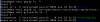
See screenshot for current permissions. The first one, 'session', is the one which is not working. The second one, 'php_sess', is working.sessions.png
 
Great, that did the trick
Code:
chown apache:psacln /var/lib/php/session
chmod -R 770 /var/lib/php/session
chcon -R system_u:object_r:httpd_sys_content_t:s0 /var/lib/php/session
Thanks a lot!
 
Status
Not open for further replies.
Back
Top