Follow along with the video below to see how to install our site as a web app on your home screen.
Note: This feature may not be available in some browsers.
The APS Catalog has been deprecated and removed from all Plesk Obsidian versions. Applications already installed from the APS Catalog will continue working. However, Plesk will no longer provide support for APS applications.
Please be aware: with the Plesk Obsidian 18.0.78 release, the support for the ngx_pagespeed.so module will be deprecated and removed from the sw-nginx package.
facing some error for the past few days while installing plesk on windows server 2016 & 2019. Does anyone have any idea why i am having such errors. Plesk installation stops in the middle while downloading files & i have even tried installing it on different VPS but the problem persists.
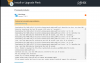
Looks like there were some issues with our CDN in your region, can you please share information:
* when exactly this happened,
* IP of your server (or at least your network, like 55.55.55.x)
* IP of autoinstall-win.plesk.com (resolved from your server, you can get this using "ping autoinstall-win.plesk.com" for example).
This can help us to contact CDN vendor and discuss this issue.