Follow along with the video below to see how to install our site as a web app on your home screen.
Note: This feature may not be available in some browsers.
The APS Catalog has been deprecated and removed from all Plesk Obsidian versions. Applications already installed from the APS Catalog will continue working. However, Plesk will no longer provide support for APS applications.
Please be aware: with the Plesk Obsidian 18.0.78 release, the support for the ngx_pagespeed.so module will be deprecated and removed from the sw-nginx package.
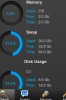
Hello, I've recently installed the mobile manager and it's showing that 0% of the RAM is being used on our VPS, when in fact the server is sitting idle using 1.6GB of the 2.0GB available.
I have several questions for you:
1. Could you provide mode information about your OS?
2. What information is shown in Plesk Panel: Login to Plesk, go to Tools & Settings > Server Information
OS Microsoft Windows Server 2008 R2 Service Pack 1
Panel version 11.5.30 Update #35, last updated at Mar 7, 2014 04:41 AM
The system is up-to-date; last checked at Mar 7, 2014 04:41 AM
=======================
Under Tools & Settings > Server Information: It is also showing 0MB RAM used of 2GB available.
Version Parallels Plesk Panel v11.5.30_build20130808.09 os_Windows 2008/2012
OS Microsoft Windows 6.1;build-7601;sp1.0;suite274;product3
Do you know what virtualization type is used on your server? It can help us to reproduce the issue on our test environment. Because I cannot reproduce the issue.