Follow along with the video below to see how to install our site as a web app on your home screen.
Note: This feature may not be available in some browsers.
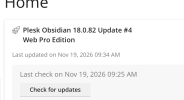
The new Python extension is now available. It allows customers to deploy and manage WSGI-based Python applications on their websites directly from Plesk.
The Plesk Mobile apps for iOS and Android and the Plesk Mobile Center extension have been deprecated, and are no longer available for new installations. In Plesk Obsidian 18.0.84, the Plesk Mobile Center extension will be removed from servers during the upgrade, and the Plesk Mobile apps will lose their server management features.
The Social Login extension has been deprecated and will be removed in Plesk Obsidian 18.0.84. After that, it will no longer be possible to log in to Plesk with a Google, Facebook, GitHub account, or with a passkey. Plesk usernames and passwords, as well as logging in with a WebPros Account, are not affected.
Just for the record: The important Nginx and sw-cp-server security fixes only arrive when you run # plesk installer update on the console. Currently (at least here) the are not shown in the GUI system updates sections.
And: After the update neither Nginx, nor sw-cp-server are restarted reliably. Better do this manually after the update as otherwise the old binaries will continue unpatched.
I would like to apologize for the lack of communication on our behalf. As you already discovered the Plesk team is already working on updating Nginx to 1.30.7. They are still running tests and there is no known ETA for the hotfix yet.
Why does it take so much longer than the PHP updates? The PHP versions were released a few hours ago and they are already patched within Plesk, while the NGINX issues (from my perspective more severe) have been release already a day ago. I'm sorry to say, but the release speed is TOO slow!
So both security fixes were released together after all. If the nginx patch was held back just to bundle it with PHP, that would be highly unprofessional. Critical security fixes should be released as soon as they're tested and ready, not delayed for convenience.
I think the PHP fix was rolled out just a little earlier (only few minutes, if that), because the first server I updated only had the PHP updates available through the GUI. I had to do a second update to apply the rest.
Work on the Nginx update began on November 18 when the upstream published its fix. For PHP, as far as I am aware, our team had early access to the source code which allowed them to handle the preparations and tests faster.
The FAQ article "https://support.plesk.com/hc/en-us/...ecution-in-NGINX-shipped-with-Plesk-for-Linux" contains an error that misleads users into thinking that http/2 was successfully disabled: Addressing the server via localhost returns http 1.1 on most installations, regardsless whether "http2 on" or "http2 off" is set. Instead, use the public hostname for the test if sw-cp-server is using http/2 or http 1.1.
Example: Do NOT use
Code:
curl -skI --http2 https://localhost:8443/ -w 'HTTP version: %{http_version}\n' -o /dev/null
(returns HTTP version: 1.1 even if http2 is "on")
The FAQ article "https://support.plesk.com/hc/en-us/...ecution-in-NGINX-shipped-with-Plesk-for-Linux" contains an error that misleads users into thinking that http/2 was successfully disabled: Addressing the server via localhost returns http 1.1 on most installations, regardsless whether "http2 on" or "http2 off" is set. Instead, use the public hostname for the test if sw-cp-server is using http/2 or http 1.1.
Example: Do NOT use
Code:
curl -skI --http2 https://localhost:8443/ -w 'HTTP version: %{http_version}\n' -o /dev/null
(returns HTTP version: 1.1 even if http2 is "on")
OR ....... for a http2 check on vhost domains, simply run : grep -Rn http2 /etc/nginx
By the way, I am not so sure whether all is patched with Plesk 18.0.82 MU4 and 18.0.81 MU9 ......... anybody checked this?
PS Kind of odd that this forum thread is marked as Resolved ......... I am not sure whether all forum users will notice the CRITICAL relevance of this thread.

 Facebook
 Twitter