• Debian 11 is approaching its end-of-life (vendor EOL date - August 31, 2026). Plesk Obsidian 18.0.80 will be the last release to support it.
    If you are running Plesk Obsidian on Debian 11, we recommend you upgrade those servers to Debian 12 using our dist-upgrade tool.
  • We plan to deprecate and remove the support for XML RPC protocol versions earlier than 1.6.9.1 in Plesk Obsidian 18.0.82. We strongly recommend that you update all existing integrations using earlier versions of the XML RPC protocol to comply with the version 1.6.9.1 specification.

Issue Postfix does not want to connect

Joey van Venrooij

New Pleskian
I am trying to login with outlook 365 and no matter what I try I cant connect. I have tried all 3 SMTP ports. I have tried domainname and hostname. And I get either ssl_accept error with starttls or I get lost connection after EHLO with ssl/tls. I really cant get it to work. Imap seems to work fine.

Error logs included in the screens
SSL/TLS

Ssl-tls.png
StartTLS
StartTLS.png
 
Have you tried to run Plesk Repair?

Tools & Settings -> Diagnose & Repair -> Check Mail Server
 
Btw: did you enable the "New Outlook" option? It can cause problems with the mail servers that don't run MS Exchange.

Screenshot 2022-06-24 at 17.58.12.png
 
Can you connect to the mail server on the command line and check the certs/TLS versions?

$ openssl s_client -showcerts -connect <hostneme>:465
$ openssl s_client -showcerts -connect <hostneme>:587
 
Can you connect to the mail server on the command line and check the certs/TLS versions?

$ openssl s_client -showcerts -connect <hostneme>:465
$ openssl s_client -showcerts -connect <hostneme>:587
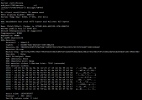
465.png
Here is the cert data for 465, 587 gives a socket error: bad file descriptor
 
Back
Top