Follow along with the video below to see how to install our site as a web app on your home screen.
Note: This feature may not be available in some browsers.
We value your experience with Plesk during 2025 Plesk strives to perform even better in 2026. To help us improve further, please answer a few questions about your experience with Plesk Obsidian 2025. Please take this short survey: https://survey.webpros.com/
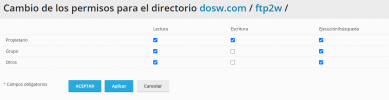
how can I do it? In the file manager I see the general permissions of the folder, I cannot choose the permissions for a specific user. I need some users to be able to write to the folder and others not.
Unfortunately, your desire violates the safety concept of Plesk. You can, of course, at your own risk, do this at the Linux system level, but in the Plesk interface, this cannot be done due to security and stability reasons for the users' sites.
The first few lines hide the .ftpaccess file for all users except the owner. The rest of the lines give read-only permissions to the user "user1" in that specific directory.