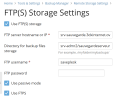
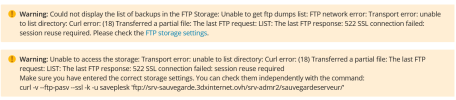
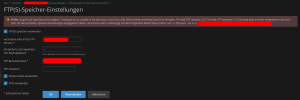
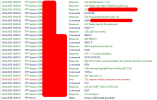
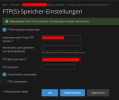
I am experiencing a similar issue with FTPS with Passive Mode since upgrading Plesk. The error "TLS session of data connection not resumed" is reported in the FileZilla logs.
Previously, we encountered an issue configuring FTPS backup and resolved it by adding the setting "ftpForbidReuseConnection = 1" to the panel.ini file, as referenced in the following thread:
Resolved - plesk Backup Tool - FTP mode
I have since tried removing this setting, but the issue persists.
If I disable FTPS, the backups complete successfully.
1. The Debian version
Debian 11.11
2. What's the exact output when you execute the curl request from the error message
Enter host password for user 'test':
* Trying x.x.x.x:21...
* Connected to x.x.com (x.x.x.x) port 21 (#0)
< 220-FileZilla Server 1.12.5
< 220 Please visit
FileZilla - The free FTP solution
> AUTH SSL
< 234 Using authentication type TLS.
* successfully set certificate verify locations:
* CAfile: /etc/ssl/certs/ca-certificates.crt
* CApath: /etc/ssl/certs
* TLSv1.3 (OUT), TLS handshake, Client hello (1):
* TLSv1.3 (IN), TLS handshake, Server hello (2):
* TLSv1.3 (IN), TLS handshake, Encrypted Extensions (8):
* TLSv1.3 (IN), TLS handshake, Certificate (11):
* TLSv1.3 (IN), TLS handshake, CERT verify (15):
* TLSv1.3 (IN), TLS handshake, Finished (20):
* TLSv1.3 (OUT), TLS change cipher, Change cipher spec (1):
* TLSv1.3 (OUT), TLS handshake, Finished (20):
* SSL connection using TLSv1.3 / TLS_AES_256_GCM_SHA384
* Server certificate:
* subject: C=XX; ST=XX; L=XX; O=ABC; OU=ABC FTP; CN=x.x.com
* start date: Apr 13 14:47:37 2026 GMT
* expire date: Apr 10 14:47:37 2036 GMT
* issuer: C=XX; ST=XX; L=XX; O=ABC; OU=ABC FTP; CN=x.x.com
* SSL certificate verify result: self signed certificate (18), continuing anyway.
> USER test
< 331 Please, specify the password.
> PASS klse1005
< 230 Login successful.
> PBSZ 0
< 200 PBSZ=0
> PROT P
< 200 Protection level set to P
> PWD
< 257 "/" is current directory.
* Entry path is '/'
* Request has same path as previous transfer
> EPSV
* Connect data stream passively
* ftp_perform ends with SECONDARY: 0
* TLSv1.3 (IN), TLS handshake, Newsession Ticket (4):
< 229 Entering Extended Passive Mode (|||51055|)
* Trying x.x.x.x:51055...
* Connecting to x.x.x.x (x.x.x.x) port 51055
* Connected to x.x.com (x.x.x.x) port 21 (#0)
> TYPE A
< 200 Type set to A
> LIST
< 150 Starting data transfer.
* Maxdownload = -1
* Doing the SSL/TLS handshake on the data stream
* successfully set certificate verify locations:
* CAfile: /etc/ssl/certs/ca-certificates.crt
* CApath: /etc/ssl/certs
* SSL re-using session ID
* TLSv1.3 (OUT), TLS handshake, Client hello (1):
* TLSv1.3 (IN), TLS handshake, Server hello (2):
* TLSv1.3 (IN), TLS handshake, Encrypted Extensions (8):
* TLSv1.3 (IN), TLS handshake, Finished (20):
* TLSv1.3 (OUT), TLS change cipher, Change cipher spec (1):
* TLSv1.3 (OUT), TLS handshake, Finished (20):
* SSL connection using TLSv1.3 / TLS_AES_256_GCM_SHA384
* Server certificate:
* subject: C=XX; ST=XXX; L=XXXXX; O=ABC; OU=ABC FTP; CN=x.x.com
* start date: Apr 13 14:47:37 2026 GMT
* expire date: Apr 10 14:47:37 2036 GMT
* issuer: C=XX; ST=XXX; L=XXXXX; O=ABC; OU=ABC FTP; CN=x.x.com
* SSL certificate verify result: self signed certificate (18), continuing anyway.
* TLSv1.3 (IN), TLS alert, close notify (256):
* Remembering we are in dir ""
* TLSv1.3 (OUT), TLS alert, close notify (256):
< 226 Operation successful
* Connection #0 to host x.x.com left intact
3. What FTP service does your remote server use
FileZilla Server 1.12.5

 Facebook
 Twitter