
 Facebook
 Twitter
David Almeida
Basic Pleskian
My 'Change server IP addresses' in 'Plesk Reconfigurator' no displays network interface in drop box 'Interface', soon a mapping error message is displayed when I try to change the ip address of the server.
This installation of plesk is running in a VMware Virtual Machine. Is it a bug between Plesk Reconfigurator utility and Virtual Network Interfaces?
Plesk Version: 11.0.9 #43
Windows Version: Windows Server Web SP2
VM Ware Version: ESXi 5.0.0
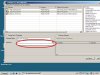
This installation of plesk is running in a VMware Virtual Machine. Is it a bug between Plesk Reconfigurator utility and Virtual Network Interfaces?
Plesk Version: 11.0.9 #43
Windows Version: Windows Server Web SP2
VM Ware Version: ESXi 5.0.0
Last edited:


