Follow along with the video below to see how to install our site as a web app on your home screen.
Note: This feature may not be available in some browsers.
The APS Catalog has been deprecated and removed from all Plesk Obsidian versions. Applications already installed from the APS Catalog will continue working. However, Plesk will no longer provide support for APS applications.
Please be aware: with the Plesk Obsidian 18.0.78 release, the support for the ngx_pagespeed.so module will be deprecated and removed from the sw-nginx package.
You could import the backup set to local backups (if not already present in local backups), then descend into the DUMP_D directory defined in psa.conf and get the database dump from there. You can import that dump file into any database you like.
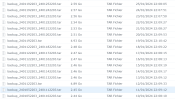
Example: Assume that your local backups are stored in the default /var/lib/psa/dumps. You'd then descend into /var/lib/psa/dumps/clients/<user name>/domains/<domain name>/databases. There you will find a dump file for each database, e.g.
drwxr-xr-x 2 root root 4096 Jan 25 23:35 johndoe_wp_0meuk_1
Although this file is not ending on .sql, it's a normal SQL dump text file that can be imported into any database.
I need to restore the January 11 backup without overwriting the database that is in production.
It would be necessary to be able to restore a database by changing the name
Have you tried to download and unpack the .tar archive to a temporary directory and descend into the structure as described above to extract the database dump file? You could then import that dump into a different database.