Follow along with the video below to see how to install our site as a web app on your home screen.
Note: This feature may not be available in some browsers.
The APS Catalog has been deprecated and removed from all Plesk Obsidian versions. Applications already installed from the APS Catalog will continue working. However, Plesk will no longer provide support for APS applications.
Please be aware: with the Plesk Obsidian 18.0.78 release, the support for the ngx_pagespeed.so module will be deprecated and removed from the sw-nginx package.
I had the same problem after an update in 11.5.30 - there was no key-file in /etc/drweb.
Delete and install the componente 'Parallels Premium antivirus' doesn't solve it. Deleting all drweb-packages via YaST2 (SuSe Linux) and install the componente 'Parallels Premium antivirus' via panel was successful. A file plesk.key is now to find in /etc/drweb and it works so far.
I did this a week ago. Today I got a mail '..your virus bases are not up to date. Please run updating script manually or use cron for this purpose.'
Does anybody knows, if it is possible to config the update-intervall via the panel? Or have I to activate the script update.pl in cron?
Thanks for help
Sabine
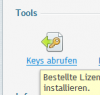
i'm using Plesk 12 now but i guess you have the same button.
Go to your Licenses -> Additional Keys -> Upload Key (you got from your Provider ) -> After Uploading check mark the box in front of the Key and click "Install" After that you can fine the key under /opt/drweb32/drweb32.key