Follow along with the video below to see how to install our site as a web app on your home screen.
Note: This feature may not be available in some browsers.
The APS Catalog has been deprecated and removed from all Plesk Obsidian versions. Applications already installed from the APS Catalog will continue working. However, Plesk will no longer provide support for APS applications.
Please be aware: with the Plesk Obsidian 18.0.78 release, the support for the ngx_pagespeed.so module will be deprecated and removed from the sw-nginx package.
Hello,
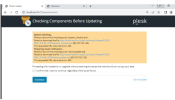
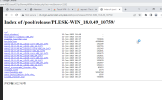
The following url is opening in my environment but when launching auto installer its throws error provided in above post . Can you assist how can I install plesk in windows server
We've checked the logs here and do not see any 403 errors logged. Also as you can access the directory, downloading the files must also be possible. Maybe an antivirus software is blocking downloads of .exe files? Our best guesses are that your network or computer is using an antivirus/security software that is filtering traffic or blocking download of .exe files, that you are not connected to the internet directly but through a proxy from where the 403 is generated, or a VPN that is redirecting traffic to a wrong IP.
As said before, the 403 error is not generated by our systems. No such error has been logged here. This means that some other system in between interferes with traffic. We don't know your local network and installation, so unfortunately we will not be able to manage this or you.
@pranay - Please ensure that any third party anti-virus software is disabled. I would also say disable any third party firewalls (and even the windows built in firewall) temporary and try again. If you get 403 error again, try downloading the file that is listed and see if it lets you. If it does then at that point we will know that there's some software on your server that is doing something weird to prevent the script from doing it's thing.
The problem looks like your Firewall is blocking access to download executable files (.exe and .msi). Please check your Firewall settings, or disable it while the update is in progress.